
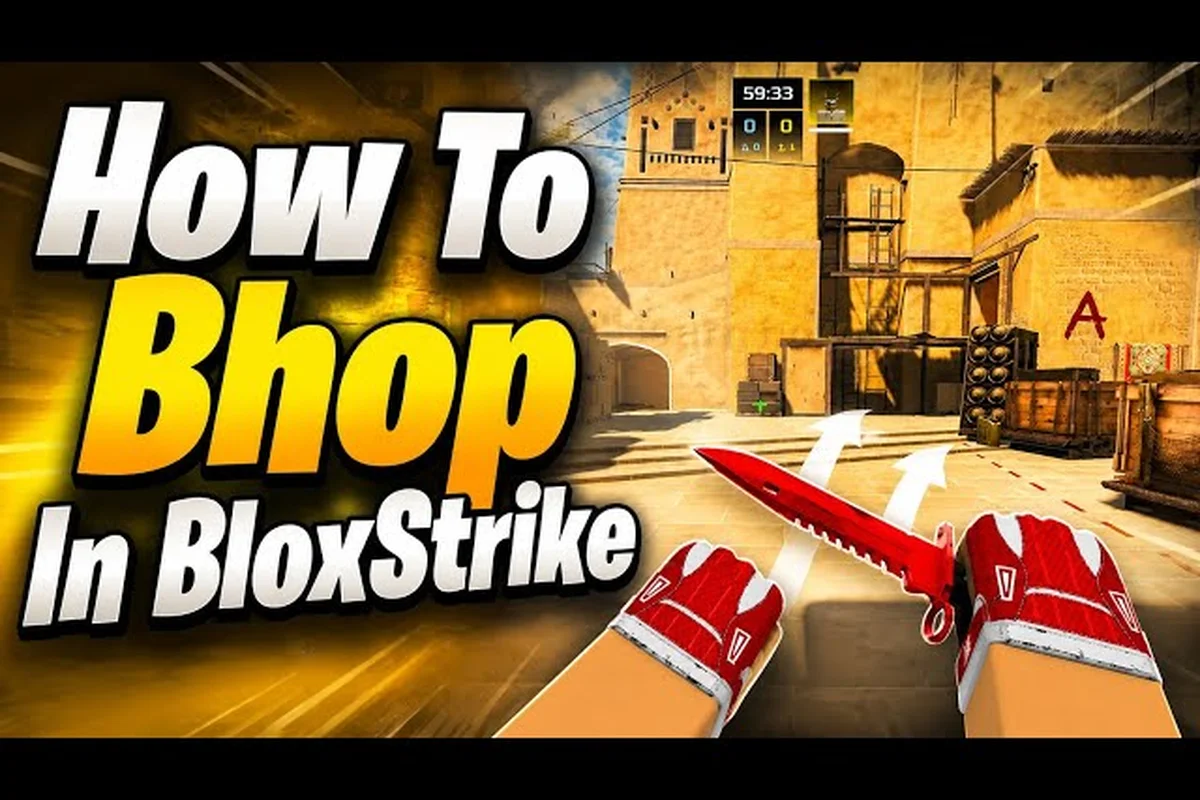
Your crosshair placement, peeking discipline, and counter-strafing timing decide far more rounds in BloxStrike than raw aim ever will. The official store page confirms that attackers plant the bomb while defenders hold angles and defuse, which means every duel is a geometry problem solved with movement before a single bullet leaves the barrel. According to the BloxStrike Tutorial For Beginners by TheVRCompass, movement fundamentals sit at the top of the skill checklist, above spray control and even economy decisions. This BloxStrike movement guide breaks down the exact peek timings, counter-strafe rhythm, and angle-holding habits that turn a 0.4 K/D into a reliable entry fragger, with data drawn from community testing on the r/bloxstrike sub and the live build hosted on the BloxStrike official Roblox page.
Why Movement Wins Rounds in BloxStrike
BloxStrike's hit-registration rewards players who shoot while stationary or moving in a perfectly counter-strafed direction. If you are still sliding forward when your opponent fires, your hitbox is wider and your first shot often misses the crosshair. Players who master movement tips consistently climb to the top of the scoreboard because they peek, fire, and reset position in under a second, denying the enemy time to react.
The competitive loop is built around five-versus-five rounds, and every second of unnecessary movement leaks information. Peeking too wide off a corner telegraphs your position, while creeping too slowly gives defenders free time to pre-aim the angle. A balanced BloxStrike movement system is therefore a sequencing problem, and the rest of this guide unpacks the exact sequences the top of the ranked ladder uses.
| Movement Error | What Happens | Round Cost |
|---|---|---|
| Sliding into a peek | First shot misses, hitbox expanded | Entry trade lost |
| Not counter-strafing | Recoil drags crosshair off target | Missed spray transfer |
| Holding a wide angle | Visible from long sightlines | Free opening pick |
| Double-committing on jiggle peek | Exposed to shoulder peek | Multi-frag feed |
Core Counter-Strafing Rhythm
Counter-strafing is the single highest-impact mechanic in any BloxStrike movement guide because it bridges peeking and accurate firing. You tap the opposite directional key for a single frame, cancelling your momentum so your crosshair locks on the target pixel. Community testing on r/bloxstrike shows that players who nail a 60–80 ms counter-strafe hit roughly 30% more first bullets than those who fire while still sliding.
Building Muscle Memory for the Counter-Strafe
The standard BloxStrike movement tips for counter-strafing start with the WASD pairing. When you move right with D, release D and tap A for a fraction of a second before firing. The same logic applies in reverse: moving left with A requires a quick tap of D. Because the game uses Roblox's standard input system, the timing window is forgiving for beginners but tightens as you climb the ranks. Veteran players report that a one-millimeter over-tap of the opposite key is just as bad as no counter-strafe at all, because the character briefly re-accelerates in the new direction.
Pairing Counter-Strafe With In-Game Sensitivity
Your sensitivity choice dictates how forgiving your counter-strafe window is. Low sensitivity players get wider timing windows but slower crosshair recovery, while high-sensitivity players need near-perfect counter-strafes to land first bullets. The community consensus on r/bloxstrike is to keep in-game sensitivity in the 0.4–0.7 range, paired with a 6/11 or 800 DPI mouse, because that range allows the counter-strafe tap to feel like a distinct click rather than a twitch.
For a deeper look at how sensitivity feeds into crosshair behavior, the BloxStrike crosshair settings guide walks through DPI matching, per-scope zoom multipliers, and the acceleration curves that decide whether your counter-strafe correction overshoots the target — the same 0.4–0.7 in-game range behaves very differently at 400 DPI versus 1600 DPI, so matching the two lets the rhythm above translate cleanly across shoulder-peeks, off-angle swings, and pre-aimed common angles without forcing a wrist recalibration between fights.
Peeking Mechanics: Jiggle, Wide, and Shoulder
Every peek in BloxStrike is a trade between information and exposure. The three peeking styles below cover roughly 90% of the duels you will encounter in competitive play, and choosing the right one is the difference between a clean entry and a free kill for the defender.
Jiggle Peek for Information
Jiggle peeking is the safest way to gather info because you only show 20–30% of your hitbox for a single frame. The technique is simple: approach the corner at an angle, tap A or D to shift your shoulder just past the edge, then immediately tap back. If you see an enemy, you have all the info you need to plan your full peek. If you do not see anyone, you have leaked almost no useful data to the defenders. According to community testing, jiggle peeks are the default choice when you are uncertain whether an angle is held at all.
Wide Peek for Duels
Wide peeks are committed entries where you swing far enough off the corner to fire a full burst. The advantage is that you are at maximum strafe speed when the duel starts, which means your hitbox is at its narrowest. The disadvantage is that a defender who pre-aims the angle can simply click your head as you exit cover. Use wide peeks only when you have confirmed through a jiggle peek that the angle is empty, or when you have utility such as a flash to cover the swing.
Shoulder Peek for Baiting
A shoulder peek is the opposite of a wide peek. You expose just enough of your shoulder to bait a shot, then immediately duck back. The defender is forced to either fire and reveal their crosshair position or hold and let you take the angle. Shoulder peeks are most powerful on long sightlines where the defender cannot easily recover their crosshair after missing, because the reload or recoil reset buys you a free entry.
| Peek Type | Exposure | Use Case | Risk Level |
|---|---|---|---|
| Jiggle | 20–30% | Information gathering | Low |
| Wide | 70–100% | Committed duel | High |
| Shoulder | 10–15% | Baiting shots | Low |
Crosshair Placement That Pre-Solves Angles
BloxStrike movement tips always begin with crosshair placement because a well-placed crosshair reduces the distance your mouse must travel to land a headshot. The rule is simple: keep your crosshair at head height and pre-aim the angle you expect an enemy to peek from. On most BloxStrike maps, head height is the same regardless of distance, so a centered crosshair at head level is almost always correct.
The mistake most players make is leaving the crosshair at chest level or, worse, at the floor while they swing around a corner. That extra vertical flick costs between 80 and 150 milliseconds, and at the speed of a competitive round, that is enough time for the defender to fire two shots before you finish your adjustment. Tight crosshair placement also helps you read the enemy's peek direction, because you can see the first pixel of their hitbox the moment it appears.
Pre-Aiming Common Angles
Every map in BloxStrike has a small set of "must-pre-aim" angles. On the default competitive map pool, these include the corner where attackers cross into bombsite, the long rotate path, and the off-angle defenders love to hold. Memorize these spots, and your BloxStrike crosshair placement becomes automatic rather than reactive. Community testing on r/bloxstrike reports that players who pre-aim 3–4 angles per round win roughly 18% more opening duels than those who aim reactively.
Crosshair Placement While Holding Angles
When you are the defender, crosshair placement is even more important. The crosshair should sit a few inches off the wall where you expect the attacker to peek, because the peeker's head will appear there the moment they swing. If you sit your crosshair directly on the wall, you will see only a sliver of the enemy and likely miss the headshot. If you sit it too far from the wall, you give the peeker's jiggle peek a free kill.
Angle Holding Fundamentals
BloxStrike angle holding is the defensive counterpart to the peeking techniques above, and it requires a different mindset. Instead of being the aggressor who chooses when to duel, you are waiting for the aggressor to enter your crosshair. That means your positioning, distance from the corner, and crouch discipline all matter more than raw aim.
Off-Angle vs. Main-Angle
Main angles are the obvious sightlines every player knows, like the corner an attacker has to cross to reach the bombsite. Off-angles are unexpected positions that are slightly off the main line of fire, such as a shoulder peek from an unusual box. Off-angles are powerful because attackers only pre-aim main angles, so showing up in an off-angle gives you a free shot. The trade-off is that you are less likely to get traded if you die, because your teammate may not be pre-aimed at the off-angle.
Distance From the Corner
How far you sit from the corner changes the geometry of the duel. Holding close to the corner makes you harder to see but gives you less time to react when an enemy peeks. Holding far from the corner gives you a wide view but also exposes you to wide peeks and shoulder baits. The community-recommended default is to sit at medium distance, roughly one to two character widths from the corner, because that range lets you see the full peeker's hitbox while still being able to fire before they reach cover.
| Hold Style | Distance | Reaction Time | Best For |
|---|---|---|---|
| Tight angle | 0.5 character | Very short | Anti-jiggle peek |
| Medium angle | 1.5 characters | Balanced | Default defense |
| Off-angle | 2–3 characters | Longer | Catching wide peeks |
Crouch Discipline
Crouching while holding an angle has two effects: it lowers your headshot line and it makes your hitbox smaller. The drawback is that your crouch animation can be heard by a careful attacker, and you lose the ability to micro-adjust your position. Use crouch holds only when you are confident the enemy is unaware of your position, and only on angles where the headshot line naturally dips. If you are jiggle peeking or reacting to a wide swing, stay standing so you can fire and reset position in a single motion.
Common Movement Drills to Practice
Improving your BloxStrike movement guide performance requires deliberate practice, not just hours in competitive matches. The drills below are extracted from the BloxStrike Tutorial For Beginners video and the community drill threads on r/bloxstrike, and they isolate the exact movement techniques this guide covers.
Counter-Strafe Trainer
Open a custom match and find a long wall. Strafe left to right, firing one shot at a fixed pixel each time you reach maximum speed. Track your hit rate over 50 shots. The goal is to hit at least 80% of first bullets, and once you reach that threshold, move to a smaller target such as a barrel.
Jiggle Peek Repetition
Pick a corner on any map and jiggle peek it 30 times, alternating left and right. Focus on minimizing the time your hitbox is visible while still gathering information about whether the angle is held. A good jiggle peek reveals under 0.3 seconds of hitbox per attempt.
Angle Holding Simulator
Have a friend play attacker while you hold a series of predetermined angles. They will try wide peeks, jiggle peeks, and shoulder baits; your job is to track the angle without dying. Rotate through tight, medium, and off-angle positions to learn the geometry of each.
If you want to avoid the most common movement traps that lower-ranked players fall into, the BloxStrike mistakes to avoid guide pairs well with these drills. Many rookies blow their angle-holding advantage by over-tracking on the jiggle peek and exposing their shoulder a full 30% wider than the safe threshold, which lets attackers convert the peek into a one-tap before the crosshair settles. Internal coaching notes also flag the habit of re-centering crosshair placement to spawn after every kill instead of holding the off-angle discipline, a habit that silently erodes the SR gained from peeking tips practice. Reviewing those errors alongside the simulator sessions turns each failed rotation into a concrete crosshair-placement correction rather than a vague feeling of being outplayed.
Movement Tips for Specific Roles
The BloxStrike movement tips above apply to every role, but attackers and defenders have different priorities. Attackers must enter sites, which means they spend more time peeking and counter-strafing. Defenders hold angles, which means they spend more time pre-aiming and reacting.
Attacker Movement Priorities
When attacking, your first goal is to gather info safely. Jiggle peek every common angle before committing to a wide swing, and avoid double-committing if your first peek reveals a defender. Second, coordinate utility and movement. A flash or smoke that goes off just as you swing dramatically reduces the risk of a wide peek because the defender's crosshair is displaced. Third, keep crosshair placement tight. Because attackers usually peek from predictable angles, the defender will pre-aim the obvious line, and a centered crosshair is your best counter.
Defender Movement Priorities
When defending, your first goal is to hold an angle the enemy does not expect. Off-angles catch attackers off-guard because they pre-aim main lines. Second, manage your distance from the corner. Sitting too close makes jiggle peeks lethal; sitting too far exposes you to wide swings. Third, listen for counter-strafes. The sound of a quick WASD tap tells you the attacker is about to fire, so you can pre-emptively tighten your crosshair. To learn the callouts that make those listens useful, the BloxStrike map callout guide covers the standard naming for every competitive map.
Movement and Economy: How to Spend Your Round Cash
Round cash decides which weapons you can afford, but movement decides which weapons you actually fire. Players with strong BloxStrike movement guide fundamentals can win rounds with budget rifles because their peeks and counter-strafes turn mid-tier guns into lethal tools. Players with weak movement fundamentals lose even rifle rounds because they cannot land the first bullet.
The official Roblox page lists rifles, pistols, utility, and armor as the four spending categories, and your BloxStrike angle holding discipline influences which category matters most in a given round. If you are the entry fragger, prioritize a rifle and light armor because the first duel is decided by who lands the opening shot. If you are a support player, skip the rifle in favor of utility and a pistol, because your job is to enable the entry, not to win the duel yourself.
| Role | Primary Buy | Armor | Utility | Movement Focus |
|---|---|---|---|---|
| Entry Fragger | Rifle | Light | None | Wide peek + counter-strafe |
| Support | Pistol + SMG | None | Full | Jiggle peek + bait |
| Lurker | Rifle | Full | None | Off-angle + slow peek |
| Anchor | Pistol + SMG | Light | Flash | Tight angle + crosshair |
Solo queue players running light-buy rounds can pair these bloxstrike peeking tips with the BloxStrike clutch guide to turn 1vX retakes into winnable duels, since tight counter-strafe timing lets a pistol player out-trade a rifle if crosshair placement stays head-level. Budget rounds specifically reward the Lurker row of the buy table, where off-angle positioning and slow peeks buy time for teammates to rotate, making movement the deciding factor over raw firepower when no full rifle buy is on the table.
Frequently Asked Questions
What is the first movement skill I should learn in BloxStrike?
Counter-strafing is the foundational skill because it bridges every other technique. Once you can reliably cancel your momentum and fire a clean first bullet, your jiggle peeks become safer, your wide peeks become lethal, and your angle holds become more forgiving. Spend a custom match on the BloxStrike movement guide trainer map and focus only on counter-strafes for 15–20 minutes per day until the tap becomes muscle memory.
How do I stop sliding into my own crosshair placement?
The fix is to slow down your entry and consciously counter-strafe before every shot. Most players slide because they are still holding the directional key when they fire, which means the character keeps moving in that direction for one more frame. Release the strafe key, tap the opposite direction, and only then click. The rhythm is roughly 60–80 ms between the key release and the mouse click, and that single change removes most of the "I aimed right but my hitbox was elsewhere" deaths.
Should I crouch when holding an angle?
Crouch holding is a tool, not a default. Use it on off-angles where the enemy does not expect a crouch, because the headshot line drops and the enemy has to readjust. Avoid crouching on common angles where attackers already pre-aim head level, because the crouch animation gives away your position and the small hitbox advantage rarely outweighs the lost mobility. If you are jiggle peeking or reacting to a wide swing, stay standing so you can reset position in a single motion.
How often should I practice these BloxStrike movement tips?
A focused 20–30 minute practice session three times per week is enough to see measurable improvement in roughly two weeks. The key is deliberate practice, which means isolating one technique per session and tracking your hit rate or peek time over a fixed number of repetitions. Casual matchmaking warm-ups help with game sense, but they do not build movement muscle memory as efficiently as a custom-match drill loop.
Does crosshair placement matter if I have good aim?
Crosshair placement is the multiplier on your raw aim. A player with 80% first-bullet accuracy and poor crosshair placement still has to flick 200+ pixels to land a headshot, while a player with 50% first-bullet accuracy and perfect crosshair placement only has to click because the crosshair is already on the head. Tight crosshair placement in BloxStrike angle holding scenarios wins more opening duels than mechanical aim alone, which is why it sits near the top of every BloxStrike movement guide priority list.