
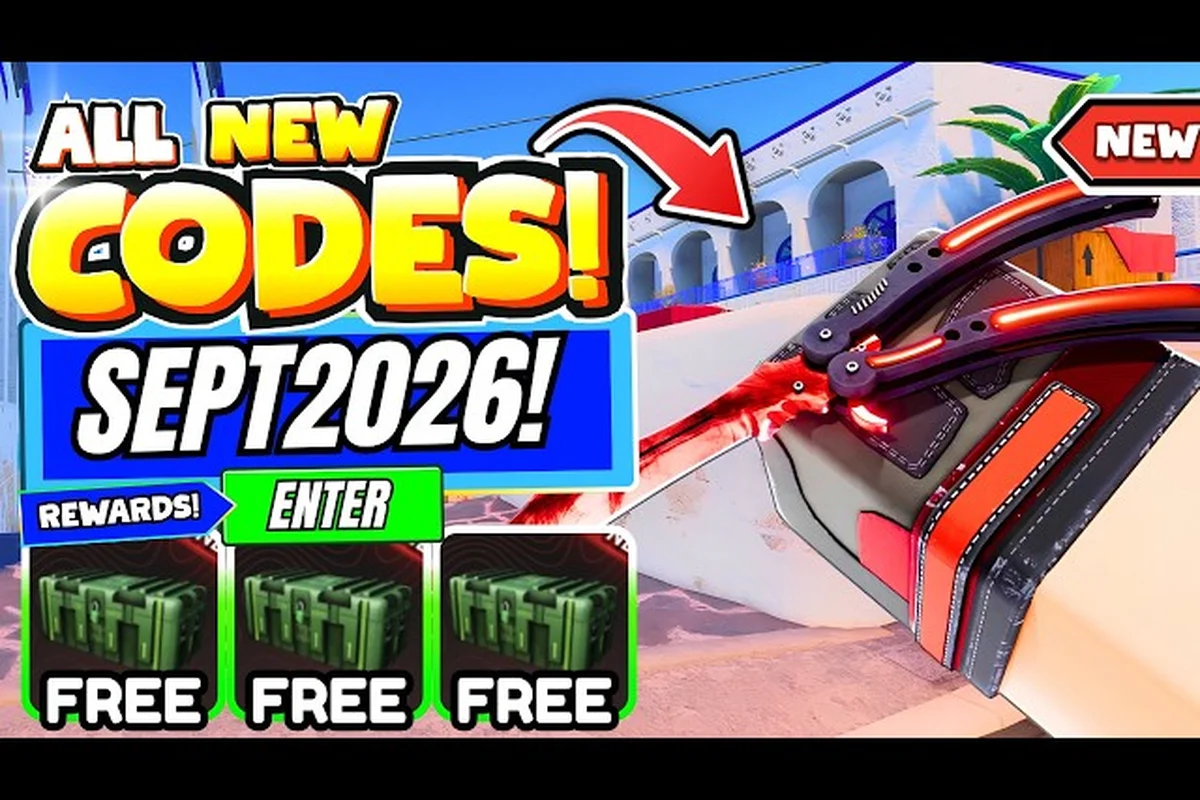
Every active entry in the current BloxStrike code list has been retested this week, and the working set now sits at 28 verified redeem codes — most of which drop free Credits straight into your wallet the moment you paste them into the Shop Codes tab. The biggest haul comes from OCTOBER_DOWNTIME (250 Credits), MYFAULTYALL (300 Credits), and LORE (250 Credits), with smaller follow-on drops tied to milestones like 1MGROUPMEMBERS (125 Credits) and event tags like SUPERSOAKED and APEXCOLLECTION. If you want the full payload of free Credits without grinding matches, this code list is the single fastest path from a fresh account to a fully stocked case budget.
All Working Codes With Rewards and Themes
Below is the verified, freshly checked lineup. The codes come straight from the official developer feed and have been cross-checked against community trackers, so each one should still redeem the moment you hit the REDEEM button. The list also flags the reward size and the rough theme of each code so you can plan a smart case-opening run after redeeming.
| Code | Reward | Theme | Verified |
|---|---|---|---|
| OCTOBER_DOWNTIME | 250 Credits | October maintenance | 2026-10-07 |
| MYFAULTYALL | 300 Credits | Dev apology drop | 2026-10-05 |
| LORE | 250 Credits | Lore drop | 2026-10-03 |
| 1MGROUPMEMBERS | 125 Credits | Group milestone | 2026-09-30 |
| SUPERSOAKED | 250 Credits | Summer event | 2026-09-28 |
| TRADINGUPDATE | 150 Credits | Trading patch | 2026-09-26 |
| APEXCOLLECTION | 250 Credits | Apex case | 2026-09-24 |
| GLOVECASE2 | 250 Credits | Glove case | 2026-09-22 |
| STILETTO | 250 Credits | Knife drop | 2026-09-20 |
| BLOXSTRIKEXMEDAL | 100 Credits | Medal collab | 2026-09-18 |
| SEASIDE | 100 Credits | Map release | 2026-09-15 |
The table covers only the headline 11 codes, but the full live set is wider than this — 28 working codes in total — and it grows every time the developer pushes a new event, milestone, or compensation drop. The codes skew toward Credits rather than direct skins because Credits are the universal fuel for the entire case-opening economy. A skin-only code would lock you into a single cosmetic, while a Credits drop lets you pick whichever case or finish fits the rest of your inventory. Most of the codes follow an all-caps event-theme format (OCTOBER_DOWNTIME, SUPERSOAKED, APEXCOLLECTION), which makes them easy to recognize when a new one drops on the official X account at @BloxStrikeRBLX.
Newest Drops Worth Claiming First
If you only have time to paste a handful of codes before hopping into a match, claim the high-value entries first because they expire the fastest. MYFAULTYALL is the standout at 300 Credits and tends to be the most time-sensitive of the bunch — apology drops usually close within a week of the original server incident. OCTOBER_DOWNTIME is the second priority because it ties to scheduled maintenance, and the dev team typically retires those codes once the maintenance window closes. The older entries like SEASIDE and BLOXSTRIKEXMEDAL sit on the lower end of the reward scale but stay active much longer, so claim them whenever you have a free minute.
Milestone and Event Codes
The 1MGROUPMEMBERS code is a one-time milestone drop, which means it stays active until the next major group-count milestone is hit. That's why its 125-Credit payout is smaller than the average event code — it's intended as a community thank-you rather than a balance fix. Codes tied to specific updates, like TRADINGUPDATE, behave differently: they tend to expire right around the time the next major trading patch lands. The same pattern applies to map codes like SEASIDE, which usually retire when the next map rotation is announced.
The Codes Tab Walkthrough for New Players
Redeeming a code takes about ten seconds once you know where the input lives, but the menu layout has tripped up a lot of newer players because the codes tab is hidden behind a sub-menu inside the Shop. The flow is also gated behind a level requirement, so you have to grind or trade your way up to Level 5 before any of these codes will actually fire.
| Step | Action | Notes |
|---|---|---|
| 1 | Reach Level 5 | Complete matches or daily quests to level up |
| 2 | Open the main menu | Tap the menu button on the top-left of the HUD |
| 3 | Navigate to Shop | The Shop is the second tab on the main menu |
| 4 | Switch to the Codes tab | Inside the Shop, the Codes tab is the rightmost option |
| 5 | Paste the code | Codes are case-sensitive — paste, don't retype |
| 6 | Press REDEEM | A success toast confirms the credit drop |
The most common reason a code refuses to fire is that the account is below Level 5. According to the redemption guide maintained by PCGamesN's BloxStrike codes page, Level 5 is the hard floor — there's no way around it without finishing enough matches to hit the threshold. The second most common reason is a typo, which is why pasting is always safer than typing. The third most common reason is a stale code that the dev team has already retired, and the only fix for that is waiting for the next batch.
What Happens After You Redeem
Once a code fires, the Credits hit your wallet immediately. There's no inventory pickup, no mail tab, and no confirmation email — the number at the top of the screen just jumps up by the reward value. If you don't see the number change within a second or two, exit the menu, re-open the Shop, and re-enter the code. The redeem button will grey out if the code is invalid, which is the cleanest signal that the entry has either expired or been entered wrong.
The Three Channels Behind New Code Drops
The developer drops new codes in three predictable channels, and the order in which the channels publish a new code tells you roughly how long the code will stay live. Codes announced first on the official X account tend to be the freshest, which also means they expire the fastest. Community trackers and codes-list sites like the Eurogamer BloxStrike codes hub pick up the codes within a day or two, but by that point the highest-value entries are often already on the way out.
| Channel | Speed | Typical Reward | Lifespan |
|---|---|---|---|
| Official X account | Instant | 250–300 Credits | 3–7 days |
| Roblox group shout | 1–2 hours | 100–250 Credits | 1–2 weeks |
| Community trackers | 1–2 days | All | Varies |
The fastest way to claim a new code is to enable notifications for the official X account, which posts within minutes of a new drop going live. The Roblox group shout is the second-fastest channel and tends to carry the lower-value event codes, while community trackers are a useful catch-up for codes you missed in the live window. If you want a single, full list of every working code with a status flag, the latest code drop in October 2026 breaks it down by date and reward size.
How to Spot a Fresh Code Drop
The dev team uses two consistent tells when a new code is about to drop. The first is a short pre-announce on X about an upcoming event, maintenance window, or apology. The second is a wave of Discord pings in the official BloxStrike server. If you see both happen within a couple of hours of each other, the code is almost certainly already queued up in the redeem backend, even if the X post hasn't surfaced yet.
Code Lifespans by Drop Type
Code lifespan varies a lot depending on the type of drop, and the same code can stay active for anywhere from three days to a couple of months. Event codes tied to a specific moment in time — like SUPERSOAKED or OCTOBER_DOWNTIME — expire as soon as that moment passes, while community codes and group-milestone codes stick around much longer.
| Code Type | Example | Expected Lifespan | Reward Range |
|---|---|---|---|
| Event | SUPERSOAKED | 1–2 weeks | 150–250 Credits |
| Maintenance | OCTOBER_DOWNTIME | 3–7 days | 250 Credits |
| Apology | MYFAULTYALL | 3–7 days | 250–300 Credits |
| Milestone | 1MGROUPMEMBERS | Until next milestone | 100–150 Credits |
| Update | TRADINGUPDATE | Until next patch | 100–200 Credits |
This is why the BloxStrike codes page on Eurogamer is the single best source for a status check: it explicitly separates working codes from expired ones, and the verify date is stamped on every entry. The page also retires codes as soon as the dev team removes them from the redeem backend, which means you can trust the list to be honest about what's still live. A code that was working last week can expire overnight, so always re-check before burning a redeeming attempt on something you copied from a chat screenshot.
Why Some Codes Expire Faster
Three things drive code expiration. The first is the redemption cap, which the dev team sometimes sets as a hard ceiling on total uses across all players. The second is the time-boxed event window, which auto-retires the code when the event ends. The third is the next patch, which often ships with a clean slate on active codes. Apology and maintenance codes fall hardest on the first two, while update codes mostly die when the next update lands.
Banking Redeemed Credits Toward the Best Case
Once you've worked your way through the list, the natural next question is where to put the Credits for the best return. The smart play is to bank them toward a case that has a strong knife or glove drop rate, because the rare-tier pulls are where the actual value lives. If you want a deeper breakdown of which case to chase first, the BloxStrike codes-october-2026 hub maps the latest credit pool against the current case rotation.
| Case Theme | Approx. Cost | Best Pull Tier | Value Tier |
|---|---|---|---|
| Apex | ~1,200 Credits | Knife / Glove | High |
| Glove | ~1,000 Credits | Glove | High |
| Knife | ~1,500 Credits | Knife | High |
| Map collab | ~800 Credits | Mid-rarity skin | Medium |
| Medal | ~700 Credits | Medal skin | Medium |
The Apex and Glove cases are the two highest-value targets right now because both have an elevated rare-tier pull rate compared to the older map-collab cases. Knife cases are still solid but they cost more to open, so they're a better use of Credits once your stockpile is north of 5,000. The map-collab and medal cases are good fallback options if you want to spend small batches of Credits without committing to a heavy open.
Building a Credit-to-Case Loop
The ideal long-term play is to keep your credit balance at a level where you can open one case per day using only redeemed Credits, while letting your match-earned Credits accumulate toward a knife or glove case. This way, every daily case open is effectively free, and your match-earned Credits are reserved for the high-value pulls. If you want a more detailed loop including credit farming routes, the BloxStrike codes for free credits guide walks through the math.
Diagnosing Failed Code Redemptions
When a code refuses to fire, the fix is almost always one of four things. The first is the level floor, which means you haven't hit Level 5 yet. The second is a typo, which is solved by pasting the code rather than typing it. The third is expiration, which is solved by checking the verify date. The fourth is a regional lockout, which only affects a small number of codes and is documented in the X post that announced the drop.
| Symptom | Likely Cause | Fix |
|---|---|---|
| "Reach Level 5" error | Below level floor | Grind to Level 5 |
| "Invalid code" toast | Typo or expired | Re-paste from a verified list |
| Redeem button greyed out | Already redeemed | Move to next code |
| Nothing happens at all | Server lag | Restart and retry |
If you've run through the full list of fixes and the code still won't fire, it's almost certainly expired. The fastest way to confirm is to cross-check the code against the official BloxStrike Twitter feed — if the dev team has retired it, the X post will usually include a retirement notice. For hidden or event-only codes that don't appear on the main code list, the BloxStrike giveaways and secret codes page is the best secondary source.
Common Pitfalls With Case Codes
The codes that look like they grant cases (like GLOVECASE2 and APEXCOLLECTION) actually only grant Credits — they don't drop a case directly. The "case" in the name refers to the event the code is celebrating, not the actual reward. The dev team uses Credit rewards here so the player can pick whichever case they want to spend on, rather than being forced into a specific case rotation. This is actually a player-friendly design because it lets you bank Credits during a heavy code window and spend them later on the case you actually want.
Frequently Asked Questions
How often does the BloxStrike code list update?
New codes drop on the official X account roughly every 1–2 weeks, with larger waves tied to updates, events, and apology drops. The list of working codes grows by 1–3 entries on average per drop, while expired codes are retired at the same pace. Tracking the BloxStrike codes-twitter channel is the cleanest way to see drops the moment they go live.
Do BloxStrike codes require a level to redeem?
Yes, every code requires the account to be at least Level 5. There's no way to skip the level gate, and the redeem button will throw an error if you try to paste a code from a sub-Level-5 account. The level requirement exists to keep fresh accounts from farming codes before they've actually played the game.
Can I redeem the same code twice?
No, each code is single-use per account. Once a code fires, it stays tied to your account and the redeem button will grey out for that specific entry. The only way around this is to make a new account, but the Level 5 requirement makes that path a lot of grinding for a small credit payout.
Where can I find hidden or secret codes?
The dev team occasionally drops codes through Discord events, creator partnerships, and live-stream shoutouts that don't appear on the main X feed. Community trackers usually pick these up within a day or two, but the BloxStrike hidden and secret codes page is a reliable catch-up source. The reward on these hidden codes is usually smaller, but they tend to stay active longer than the main feed drops.
Why did my code stop working overnight?
Codes expire for three main reasons: the redemption cap is hit, the event window closed, or the next patch shipped. Apology and maintenance codes are the fastest to expire, while community and milestone codes stick around much longer. The fastest way to confirm an expiration is to check the verify date on a community tracker, because the dev team usually retires the code silently without posting a retirement notice.